Apple Pay

Pay faster and more securely with Apple Pay™ and your Adriatic Bank Visa card

Discover a faster and easier way to pay with your Adriatic Bank Visa card using Apple Pay™. Add your card to Apple Wallet for secure, contactless payments in stores, apps, and online—wherever Apple Pay™ is accepted. It’s fast, secure, and protects your information.


What are the benefits of paying with Apple Pay and your Adriatic Bank Visa card?

Check Mark Icon
Fast, convenient, contactless: Pay anywhere Apple Pay and contactless payments are accepted, both domestically and abroad. Move through checkout in seconds—no need to take out your wallet.
Check Mark Icon
Secure: Apple Pay doesn’t share your actual card number—your information stays protected with advanced encryption and iOS security features. Apple Pay encrypts millions of transactions daily, keeping you safe every time.
Check Mark Icon
Everything under your control: Easily manage your cards in the Apple Wallet app. If you lose your phone, use Find My to lock or erase it remotely.

How to get started?

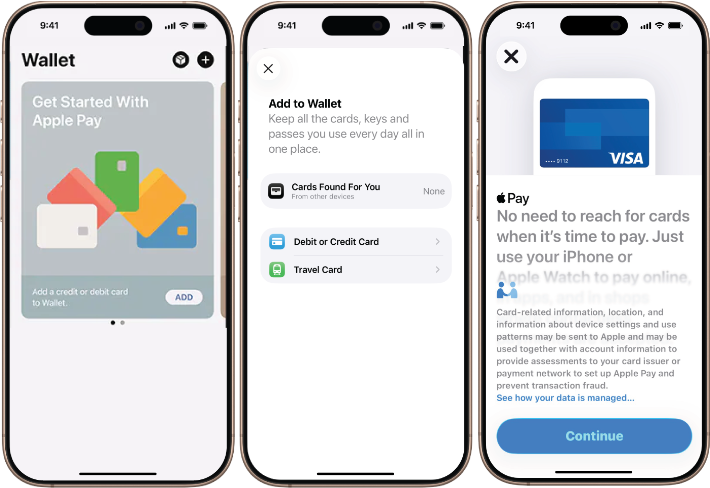
Getting started is simple—in just a few steps:

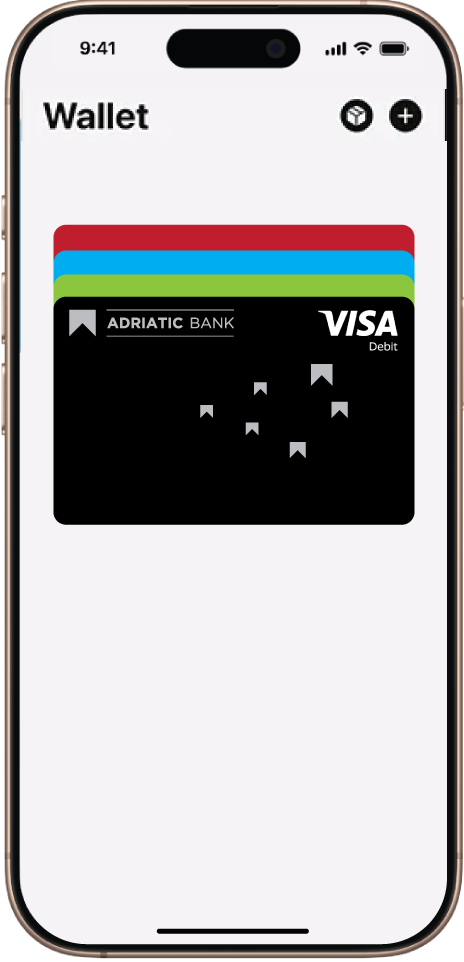
  1. Open the Apple Wallet app or download it from the App Store.
  2. Select “Add to Wallet” and follow the instructions.
  3. Capture an image of your Adriatic Bank Visa card or enter the details manually.
  4. Verify your card if required. You’re all set!

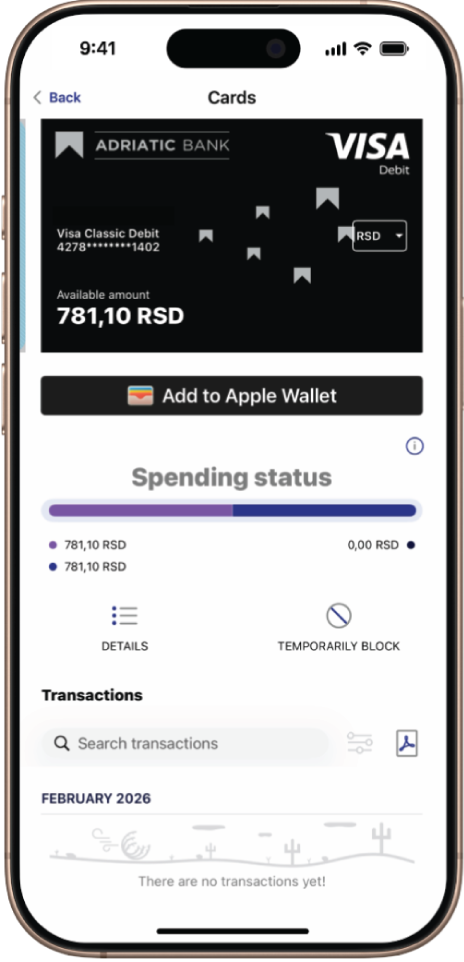
For added security, you can also activate Apple Pay™ via the Adriatic Bank mBanking app:

  1. Download the Apple Wallet app from the App Store.
  2. Log in to the Adriatic Bank mBanking app.
  3. From the main menu, select “Cards” and tap the “Add to Apple Wallet” button below the card you want to add.
  4. Follow the steps and you’re ready to pay with Apple Pay.


Set your Adriatic Bank Visa card as your default card for even easier payments:

  1. In Apple Wallet, select your Adriatic Bank Visa card from the home screen.
  2. Tap and hold the card you want to set as default.
  3. Drag it to the front of your cards. When you release it, a confirmation message will appear.

How to pay using Apple Pay™

In stores:

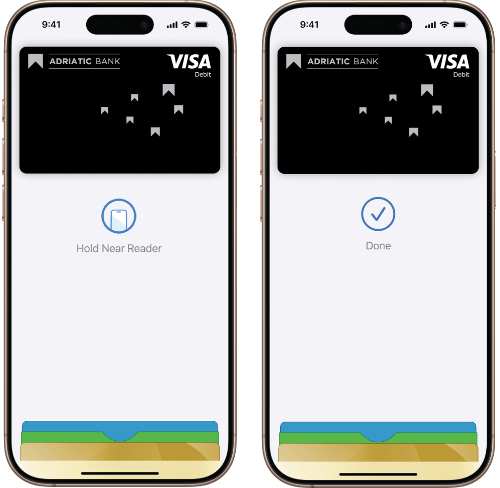
  1. Unlock your phone (not required for small transactions in some regions).
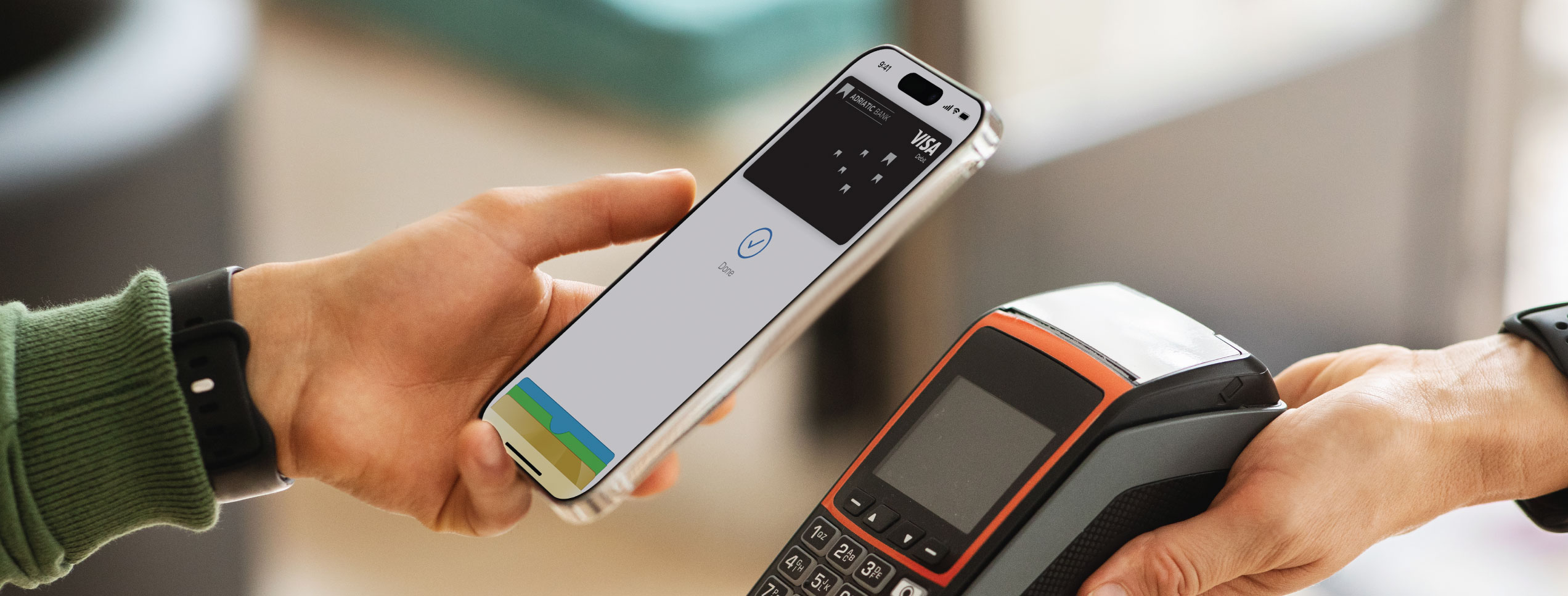
  2. Hold your device near the terminal.
  3. Wait for the confirmation of a successful transaction.


Look for the Apple Pay™ or contactless symbol at checkout.


Online and in apps:

  1. Add your Adriatic Bank Visa card to Apple Wallet.
  2. At checkout, select Apple Pay™ or tap “Pay with Apple Pay.”
  3. Confirm—and you’re done! No need to fill out forms or enter details every time.


Available in stores, apps, and online

Use Apple Pay™ in any store that supports contactless payments. Simply bring your Apple device close to the terminal with the screen on, and the payment will be completed.

For online stores and apps, skip filling out forms or creating accounts. Select Apple Pay™ as your payment method, choose your card, and you’re done.


Frequently Asked Questions (FAQs):

Check Mark Icon
What is Apple Wallet? Apple Wallet is a secure digital wallet on Apple devices for storing cards, passes, tickets, keys, and personal information.
Check Mark Icon
Why use it with my Adriatic Bank Visa card? It enables fast and secure transactions wherever contactless payments are accepted, with enhanced privacy—your real card details are never shared.
Check Mark Icon
Do I need to carry my card?No. Your phone is enough for payments.
Check Mark Icon
How do I download it? Download Apple Wallet from the App Store on your Apple device.
Check Mark Icon
Are there any fees? No. Transactions have the same fees as when using a physical payment card.
Check Mark Icon
Is it secure? Yes—advanced security protects your data, and you remain in full control.

For more details, visit apple.com/apple-pay or contact Adriatic Bank support.

Add your card to Apple Wallet today!